Keep enrolled Windows PCs visible, reachable, and ticketed from one console — built for how VanquishNet runs managed IT for Culver City & Los Angeles businesses.
Command gives VanquishNet a consistent place to see enrolled PCs, reach a machine, move a file, and keep a ticket history. These are practical support capabilities for a small office: knowing which computer is being discussed and keeping the request connected to the work. Each capability below reflects the product already used for Windows endpoint management.
01
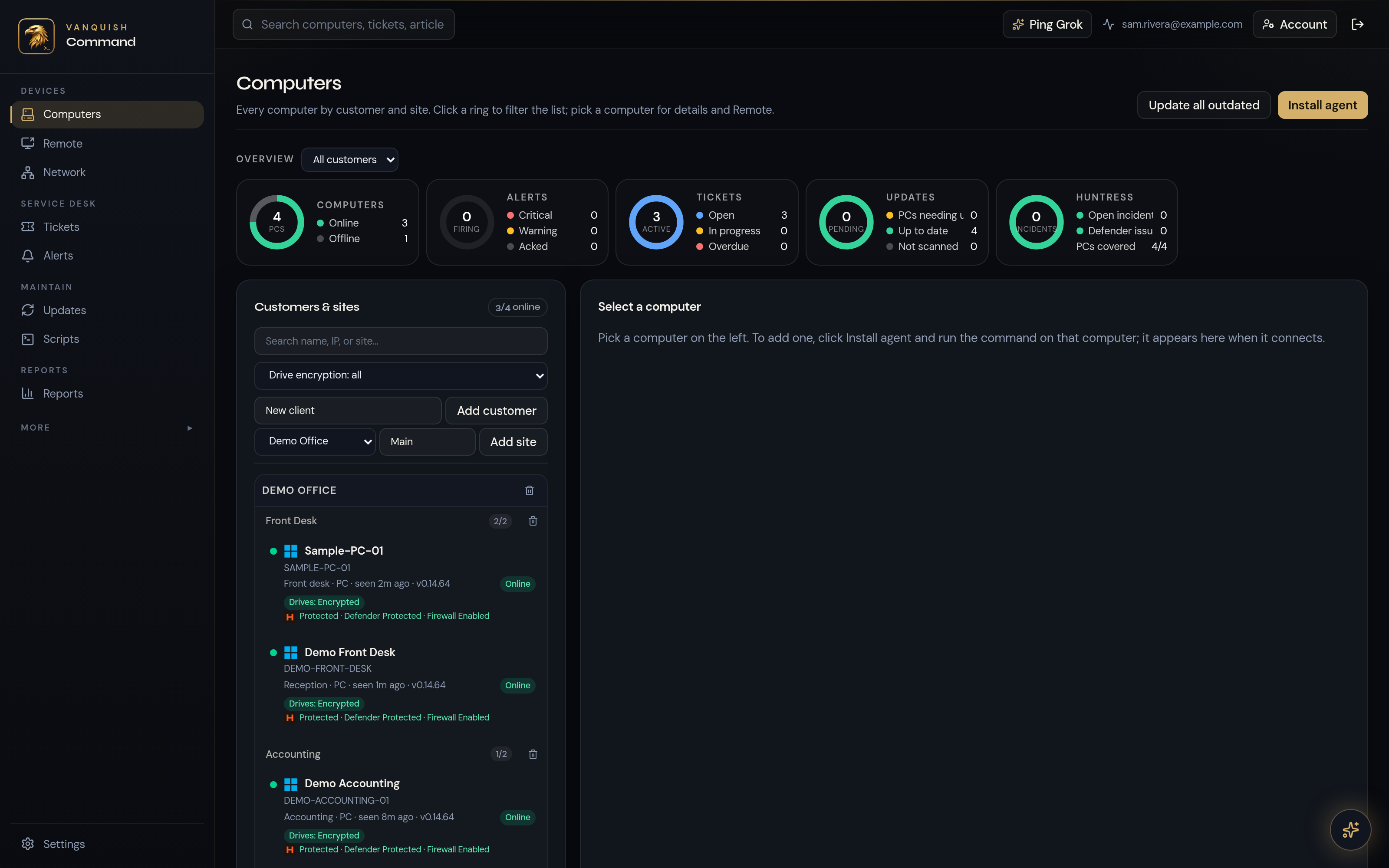
Manage Windows PCs from a web console (device list and status)
The web console brings the device list and status of enrolled Windows PCs into one place. For an office with several people and workstations, that gives VanquishNet a shared starting point for support: which computers are enrolled and what their status shows. The focus is the Windows endpoints under management, not a claim to control every system in the business.
02
Alerts when an agent is outdated
An alert when an agent is outdated gives VanquishNet a specific item to review. It helps distinguish a computer that needs attention to its management agent from the other devices in the list. This is an agent-version alert, not a promise that every application is automatically patched or that every security issue has been resolved. Clear, specific information is more useful than a broad assurance.
03
Remote desktop and file transfer
Remote desktop provides a way to reach an enrolled Windows PC for support. File transfer lets a file be moved as part of that work. Keeping these capabilities alongside the device list means support can start from the machine being discussed instead of treating each task as a separate tool. The reason for connecting and the work involved remain part of the support conversation.
04
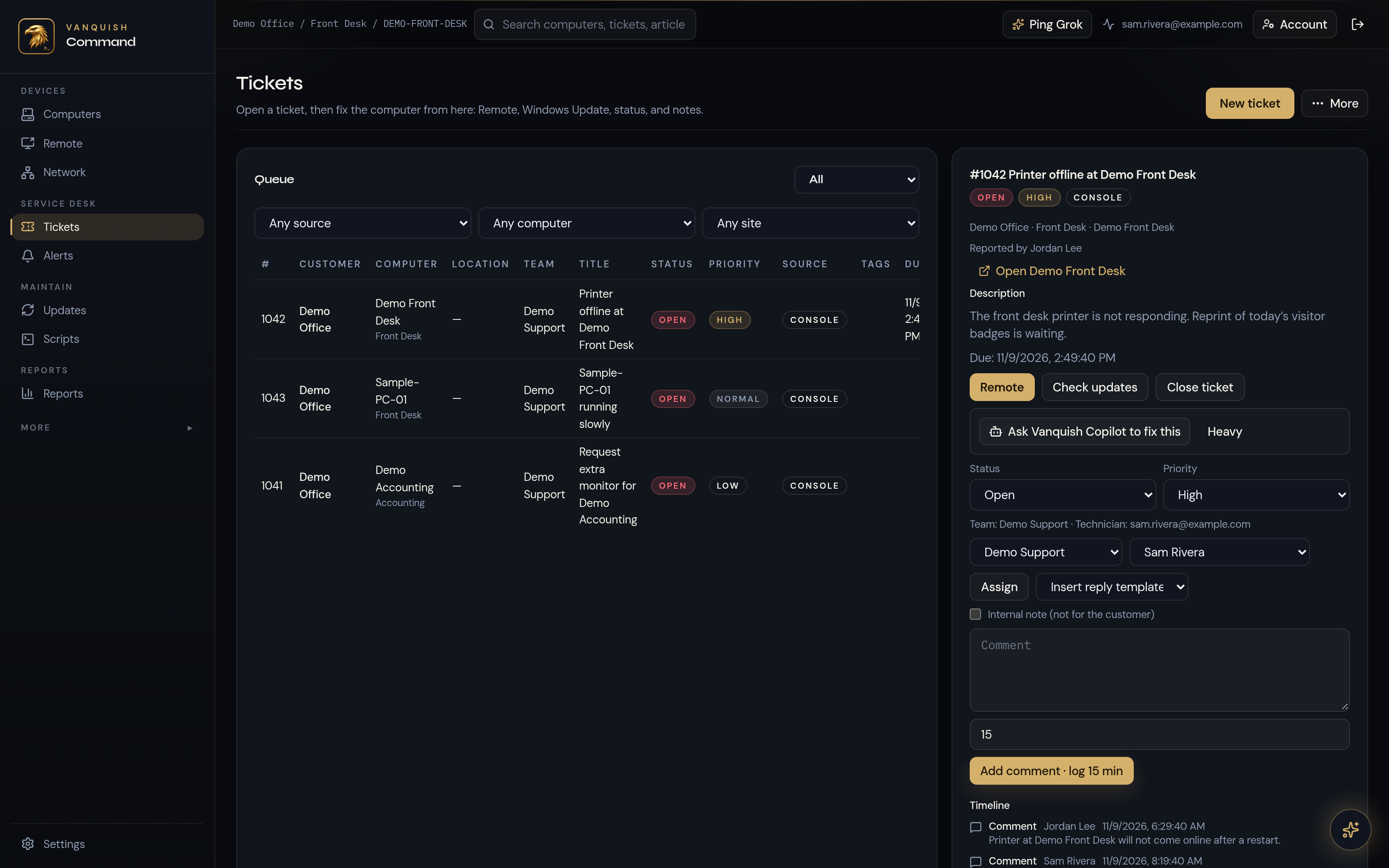
Support tickets (create and view)
Support tickets can be created and viewed in Command. A ticket provides a place to keep the support request in context, while the ticket history helps an office and its support team refer back to the issue. Rather than relying only on a conversation that happened earlier, the request has a visible record. Tickets organize the work; response arrangements are discussed with VanquishNet.
05
Two-factor sign-in with passkey option (fingerprint / Face ID)
Command supports two-factor sign-in with a passkey option, including fingerprint or Face ID. Those sign-in choices are part of access to the console used for managed IT. They are not an invitation to create a public account on this website. If your business is discussing support with VanquishNet, we can explain how console access fits that arrangement without publishing a console address here.
06
Code-signed Windows agent
The Windows agent is code-signed. That is a property of the agent used with Command, alongside the device visibility and outdated-agent alerts described above. Code signing identifies the signed agent; it does not certify an entire business or resolve every computer problem. Command’s scope here is clear: enrolled Windows PCs supported through VanquishNet’s managed-IT work.
Command features
Cyber Sweep, Vanquish Core, and Vanquish Guard are features of Vanquish Command, not separate products or platforms.
Cyber Sweep
Health and security checks
Vanquish Core
Snapshots and bare-metal restore
Vanquish Guard
Coming soon
Policy enforcement that limits what computers can do within scopes
Who it’s for
Businesses that want VanquishNet to monitor and support their Windows endpoints as part of managed IT.
The starting point is the office and its support needs, not buying a generic platform from a pricing card. A business in Culver City or Los Angeles can talk with VanquishNet about its Windows endpoints and the managed-IT work around them. Command supports that relationship through device visibility, remote support, and tickets. It is not presented here as a mass-market, self-serve service.
Inside the app
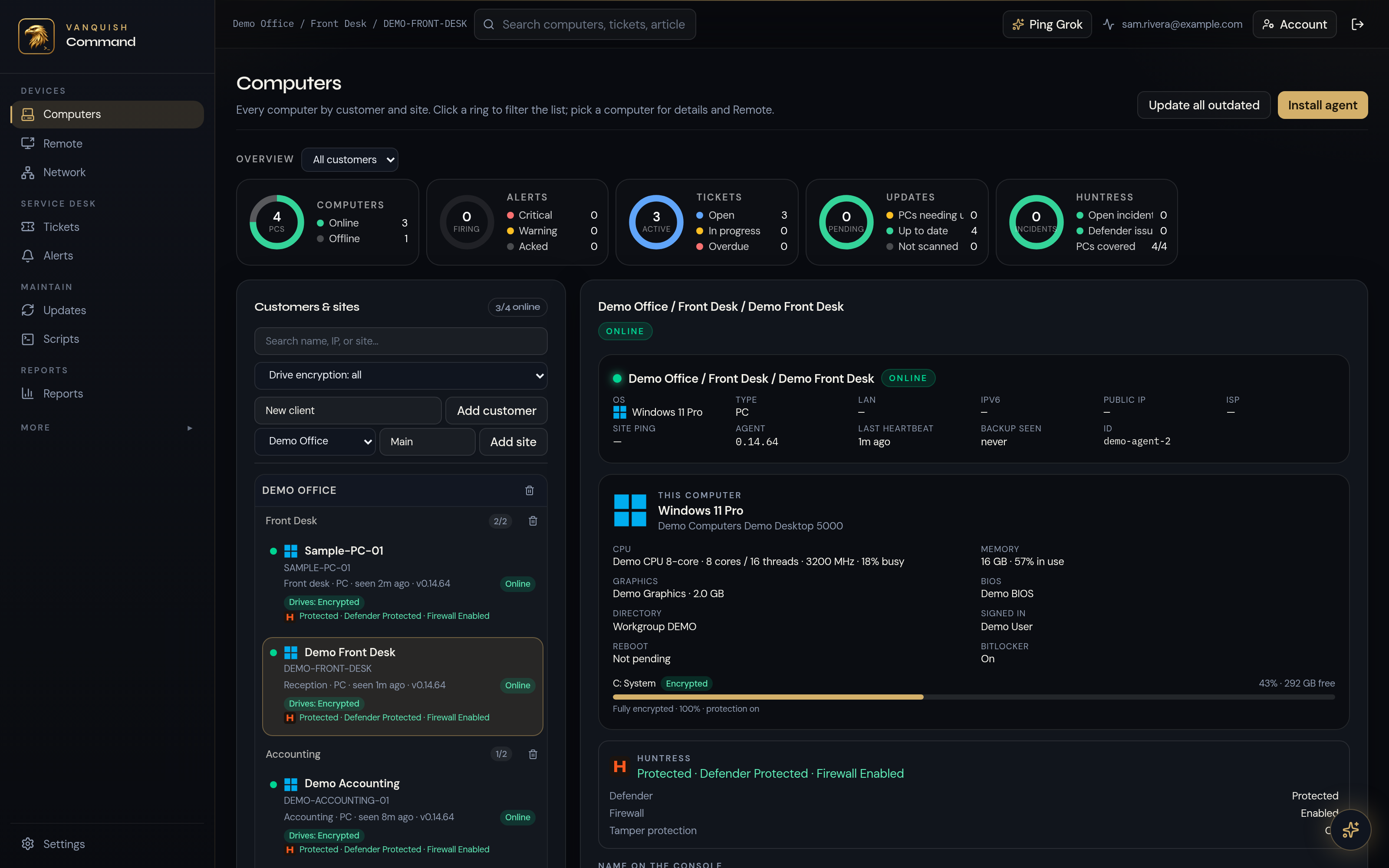
The existing Command screenshots show the device list, a device detail, and the ticket queue. The Demo Office and Demo Front Desk captions identify the examples shown. These are existing screenshots with demo captions, not a feed of current device activity or a customer’s current network or support status.
Demo Front Desk device detail
Ticket queue — Printer offline at Demo Front Desk
Questions about Command
Can I sign up for Vanquish Command online?
No. Command is used by VanquishNet to support enrolled Windows PCs as part of managed IT. Start by talking to us or booking a conversation about your business. This page explains the product; it is not a public registration page, a console login, or a place to enroll a computer yourself.
Is Vanquish Command an RMM tool?
Vanquish Command is the tool VanquishNet uses for remote monitoring and management of enrolled Windows PCs as part of our managed-IT service. You get the device list, outdated-agent alerts, remote desktop, file transfer and support tickets described on this page, with VanquishNet doing the day-to-day work. If you are looking for RMM for your office, this is where that conversation starts.
Are Cyber Sweep, Vanquish Core, and Vanquish Guard separate products?
No. They are features of Vanquish Command. Cyber Sweep covers health and security checks; Vanquish Core covers snapshots and bare-metal restore. Vanquish Guard is coming soon and concerns policy enforcement within scopes. None of these feature names is a separate product to purchase or sign up for on this site.
How it fits your wider IT
Windows endpoints are one part of an office. VanquishNet also discusses network design, servers, and backup planning as distinct work. Command is the Windows endpoint management product; it is not the office network or the backup service. Keeping those roles clear helps the conversation stay focused on what the business needs, without attributing every part of its infrastructure to a single console.
Talk through your Windows support needs
Contact VanquishNet or book a conversation. Tell us about the PCs your team uses and the support you need, and we can discuss how Command fits managed IT for your business.